
Preview links in Gmail
MalwareBytes is GeekDrop's Favorite Anti-Malware Solution
Act now to get a huge savings on GeekDrop's favorite Backup, Imaging, & Drive Utilities. Also our member's #1 choice!

Mon, 04/06/2009 - 6:03am (17 years 27 weeks ago)


Did you know that you can preview You Tube videos, Flickr, Picasa, and Yelp images in your gmail, when you receive a link in the body of an email? Well you can and it's easy to do! Just follow the following steps:
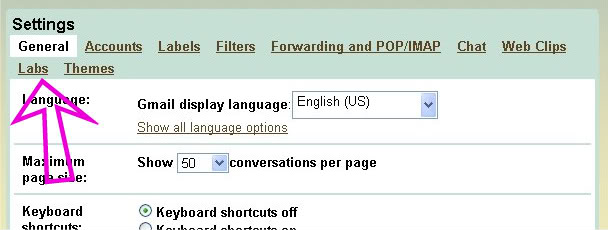
Go to Settings

In Settings click on Labs
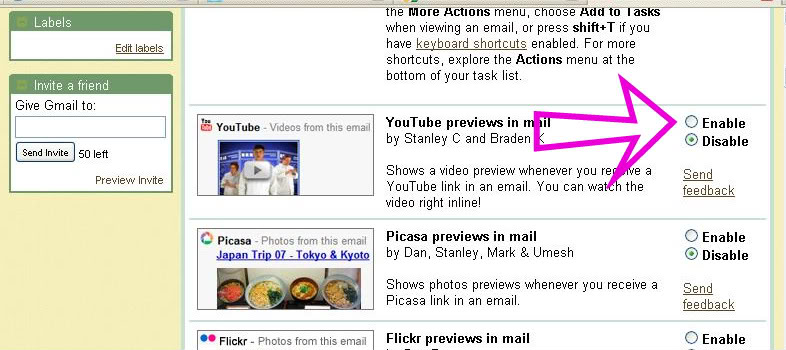
Scroll down until you see the You Tube, Picasa, etc. options and click on Enable then 'Save Changes' at the bottom of the page
You should now see this green icon next to the Settings tab which indicates you have Labs enabled.

Now just open up the email with the link and preview away!

- 1431 reads

Who's New



Recent comments
1 week 10 hours ago
1 week 10 hours ago
1 week 20 hours ago
1 week 5 days ago
1 week 5 days ago
3 weeks 1 day ago
3 weeks 2 days ago
6 weeks 3 days ago
1 year 17 weeks ago
1 year 38 weeks ago