
Tweak out your GeekDrop profile
MalwareBytes is GeekDrop's Favorite Anti-Malware Solution
Act now to get a huge savings on GeekDrop's favorite Backup, Imaging, & Drive Utilities. Also our member's #1 choice!





You can tweak your profile on geekdrop.com
To change the color of the main text:
First go to your own account:
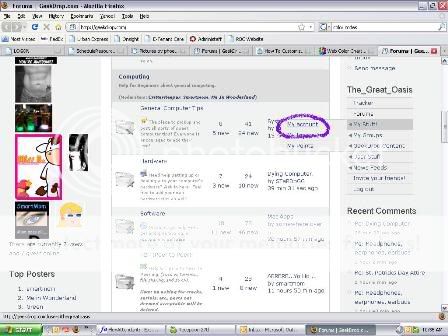
Then click on edit:
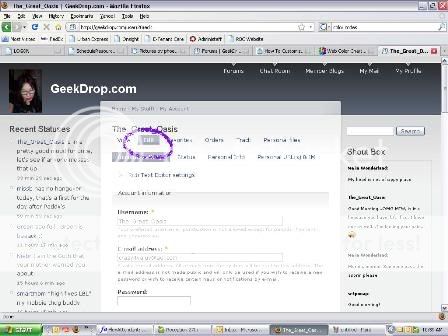
Then click on Personal Info:
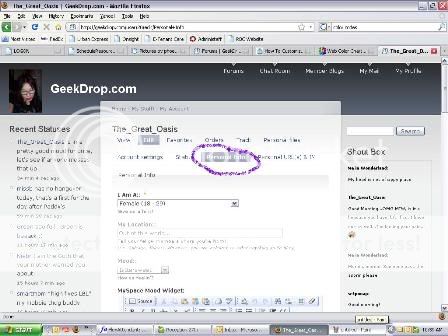
Afterwards, scroll down to the "Let us get to know ya" section. Switch to plain text editor:
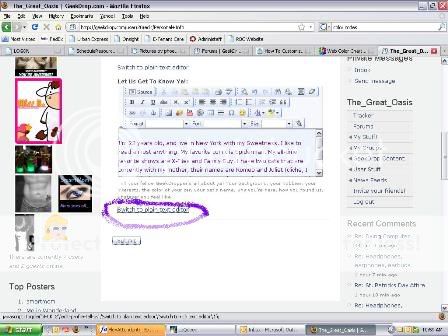
Once, you've switched to the plain editor, enter this code:
<style> body {color:#000000;} #main {color:#000000;} </style>
Replace the zeros with any six digit color combo you like. You can find a color chart here with all the codes. (thanks smartmom)
To get rid of the sidebars and header, you can enter this code in the same field you entered the color changer code:
<style>
body div table tbody tr td font {visibility:hidden;}body div table tbody tr td a font, #sidebar-left {visibility:hidden;}
body div table tbody tr td font {visibility:hidden;}
body div table tbody tr td a font, #sidebar-right {visibility:hidden;}
body div table tbody tr td font {visibility:hidden;}
body div table tbody tr td a font, #header {visibility:hidden;}
body div table tbody tr td a font, .breadcrumb {visibility:hidden;}
</style>
As of yet, I haven't been able to change the background. But if anyone else finds out how, please feel free to post it here.

- 2195 reads

Who's New




In a land of wonderous things...
adding a background is not an option as of now. Stardogg is on the case though so we will be able to sometime in the future.
"Most everyone's mad here.

"You may have noticed that I'm not all there myself."