
Zoom Using the Scroll Wheel
MalwareBytes is GeekDrop's Favorite Anti-Malware Solution
Act now to get a huge savings on GeekDrop's favorite Backup, Imaging, & Drive Utilities. Also our member's #1 choice!

Tue, 09/21/2010 - 12:00pm (16 years 1 week ago)


If you're tired of trying to read the fine print on your computer screen then this tip has the quick fix.
In Vista and Windows 7
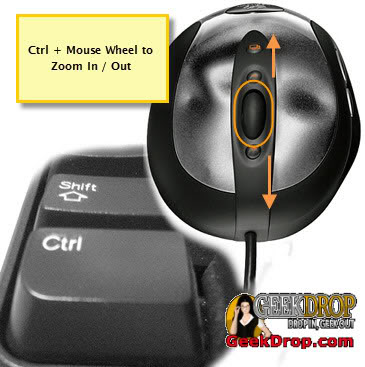
When the Ctrl key is held and the scroll wheel is rolled forward (away from you), the view, including text and images is increased. With the Ctrl key pressed, roll the wheel backward (towards you) and the view size is decreased. This shortcut can also be used in many email clients and for documents in Excel and Word and on the web.
Read More ...
- How Can I Remove the Sticky Coating on My Mouse?
- Mouse Scroll Wheel Only Recognizes Every Other Scroll? - [SOLVED]
- How Do Turn On Sony Vaio Touchpad??
- Firefox 16, can no longer middle mouse click to open links in a new tab!
- How to lock your mouse cursor within the Star Wars: The Old Republic game window when using multiple monitors
- How To Stop Your Mouse From Waking Up Your Computer
- Mouse move event
- How To Access The Right Click Menu Option Without A Mouse
- Hide Your Mouse Pointer While Typing
- Mouse Keeps Losing Connection

- 6751 reads

Who's New




Wellington Florida
Married
The older I get the more I use this. *sigh*